Coloring Games for Kids: How to Pick One They'll Actually Keep Playing
Looking for coloring games for kids that hold their attention? A parent's checklist for picking one: subject, ads, controls, and a natural stopping point.

You searched for coloring games for kids, downloaded the first one with good ratings, and handed over the tablet. Five minutes later your kid is bored, or tapping on an ad, or asking you to buy a "gem pack." The app wasn't broken. It just wasn't the right one for your kid.
The good news: picking a better one doesn't take hours of research. It takes knowing what actually keeps a child coloring, and spending ten minutes checking before you hand it over.
Why the "top-rated" pick often falls short
Most parents choose a coloring app the way they'd choose a flashlight app: highest rating, most downloads, done. But ratings mostly measure whether an app works, not whether it fits your child.
What really decides whether a kid sticks with a coloring game is simpler: do they care about what's on the page? A child who will happily spend twenty minutes coloring a favorite character may give up on a generic butterfly after two taps. Features like extra brushes or glitter effects matter far less than the subject.
The second thing ratings don't show you is how the app makes money. Some coloring games are calm and open-ended. Others interrupt every few pages with video ads, or put purchase buttons where small fingers tap by accident. Same star rating, very different experience.
A 6-step checklist for choosing coloring games for kids
Start with what they already love. Ask your child to name their favorite characters, animals, or vehicles, then search for coloring apps built around that. Interest is the biggest predictor of whether they'll come back to it tomorrow.
Read the store labels before you install. On Google Play, listings show "Contains ads" and "In-app purchases" right under the install button, and the App Store lists in-app purchases too. Neither is automatically a dealbreaker, but you should know what you're getting before your kid does.
Play it yourself for ten minutes. Color two or three pages. Notice how often ads appear, whether they can be closed easily, and where any "buy" or "unlock" buttons sit. If you find it pushy, your child will run into it constantly.
Match the controls to their age. Younger children usually do best with tap-to-fill: tap an area, it fills with color, no fine motor control needed. Older kids often want more: zooming in, choosing exact shades, coloring small details. If the controls frustrate them, they'll quit, no matter how good the pictures are.
Prefer open-ended over pressured. Look for apps without timers, scores, or streak penalties. Coloring works best as a quiet activity, and countdowns or "you lost your reward" pop-ups turn it into something else. A gallery where finished pages are saved is a nice bonus: kids love showing off what they made.
Build in a natural stopping point. Agree on "one page" or "two pages" before they start, so the session ends when the picture is done instead of in an argument. If you want a hard limit, built-in tools like Google Family Link on Android or Screen Time on iPhone and iPad let you set app time limits.
The friction: the characters they want are hard to find
Step one is where most parents get stuck. Kids rarely ask to color "a cute dog." They ask for the specific characters from the games and shows they're into right now, and general coloring apps almost never have them. Printable pages from random websites are hit and miss: low resolution, odd poses, and you still need a printer and fresh crayons.
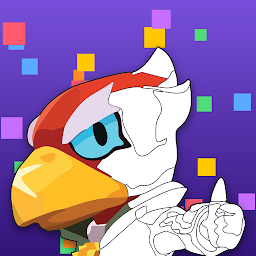
That's the gap we kept seeing with kids who play Brawl Stars, so we built Brawl Stars Coloring, a fan-made coloring app where kids color the Brawlers they already know from the game. Along the way they get to know the different Brawlers, and new pages are added as new Brawlers arrive, so there's something fresh when the game adds a character. It's an unofficial fan project and is not affiliated with or endorsed by Supercell. It's currently available on Android.

If your child isn't into Brawl Stars, the checklist above still applies: find the app built around their favorite thing, and it'll beat any top-ten list.
Try this today
Before you download anything, ask your kid one question: "If you could color any character, who would it be?" Then spend ten minutes playing the app that matches the answer yourself, check the ads and buttons, and agree on "one page" before you hand it over. That short check is usually the difference between a coloring game that's forgotten by dinner and one they ask for again.